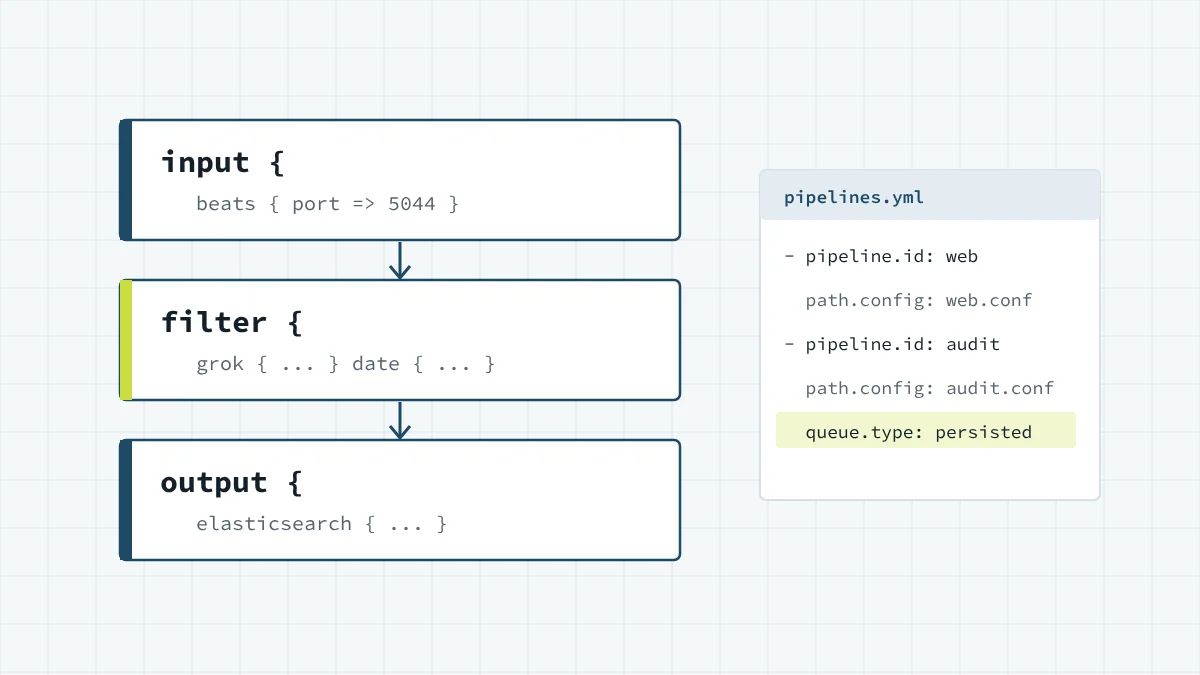
The three stages
A pipeline has up to three sections, always in this order of processing: inputs receive or pull events, filters change them, and outputs send them somewhere. Only input and output are required.
input {
  beats { port => 5044 }
}

filter {
  if [service][type] == "nginx" {
    grok { match => { "message" => "%{COMBINEDAPACHELOG}" } }
  }
}

output {
  elasticsearch {
    hosts   => ["https://es01.example.internal:9200"]
    api_key => "${ES_API_KEY}"
  }
}
Inputs run in their own threads and write events into a queue. A pool of pipeline workers takes batches from that queue and runs every filter and then every output on each batch. This is why filter order matters (each filter sees the result of the one before it) and why output speed limits the whole pipeline.
Values, types and field references
Plugin options take a small set of value types:
- Strings:
"text"or'text'. - Numbers and booleans:
5044,true. - Arrays:
["a", "b"]. - Hashes:
{ "key" => "value" }. Note the=>and that entries are separated by spaces, not commas.
Fields are addressed with square brackets. [http][response][status_code] is a nested field; [message] or just message is a top-level one. Inside strings, %{[host][name]} inserts a field value (the sprintf format), which is how you build dynamic index names or file paths:
output {
  file { path => "/var/log/archive/%{[service][type]}-%{+YYYY.MM.dd}.log" }
}
Conditionals
Conditionals route events to different filters and outputs. They support ==, !=, <, >, regular-expression matches with =~, membership with in, and and/or/not:
filter {
  if "_grokparsefailure" in [tags] {
    mutate { add_field => { "[event][kind]" => "pipeline_error" } }
  } else if [http][response][status_code] >= 500 {
    mutate { add_tag => ["server_error"] }
  }
}
A bare field reference such as if [error] is true when the field exists and is not false or null, which is a handy way to test for optional data.
The multiple-files surprise
When you start Logstash with -f /etc/logstash/conf.d/ or a glob, every matching file is concatenated into one pipeline, in alphabetical order. Splitting configuration across files is purely cosmetic: a filter in 20-nginx.conf still sees events from the input in 10-syslog.conf, and an output in any file receives every event.
This is the source of a classic bug: two inputs and two outputs in separate files, and every event ends up in both destinations. Either wrap filters and outputs in conditionals, or, usually cleaner, run separate pipelines.
Running separate pipelines with pipelines.yml
If you start Logstash without -f or -e, it reads config/pipelines.yml and runs each entry as an isolated pipeline with its own queue, workers and settings:
- pipeline.id: web
  path.config: "/etc/logstash/conf.d/web/*.conf"
  pipeline.workers: 4

- pipeline.id: audit
  path.config: "/etc/logstash/conf.d/audit/*.conf"
  queue.type: persisted
  pipeline.workers: 1
Any setting from logstash.yml that starts with pipeline., queue. or dead_letter_queue. can be overridden per pipeline. A slow or broken audit output then cannot hold up the web pipeline.
Pipeline-to-pipeline communication
Pipelines can pass events to each other through the pipeline input and output. A common pattern is one intake pipeline that receives everything and distributes events to specialised pipelines:
# intake.conf
input  { beats { port => 5044 } }
output {
  if [service][type] == "nginx" { pipeline { send_to => ["nginx"] } }
  else                           { pipeline { send_to => ["generic"] } }
}

# nginx.conf
input { pipeline { address => "nginx" } }
Each downstream pipeline is listed in pipelines.yml like any other. Because they are separate pipelines, you can give the expensive one more workers or a persistent queue without touching the rest.
Environment variables and secrets
Write ${NAME} anywhere in a pipeline or in logstash.yml to substitute an environment variable, and ${NAME:default} to supply a fallback. For passwords and API keys, use the keystore instead so the value is not visible in process listings:
bin/logstash-keystore create
bin/logstash-keystore add ES_API_KEY
Keystore entries are referenced with the same ${ES_API_KEY} syntax.
Testing and reloading
bin/logstash -f pipeline.conf --config.test_and_exitchecks syntax and plugin options without starting anything.config.reload.automatic: trueinlogstash.yml(or-ron the command line) watches pipeline files and reloads a pipeline when its file changes. A pipeline with a broken new config keeps running the old one and logs the error.- Since Logstash 9.4,
pipeline.recoverycan restart a crashed pipeline automatically when automatic reload is enabled. It defaults tofalse.
Next, put the filter stage to work with grok and dissect examples for real log lines, or see how workers and batch sizes affect throughput in Logstash performance tuning.
Related articles
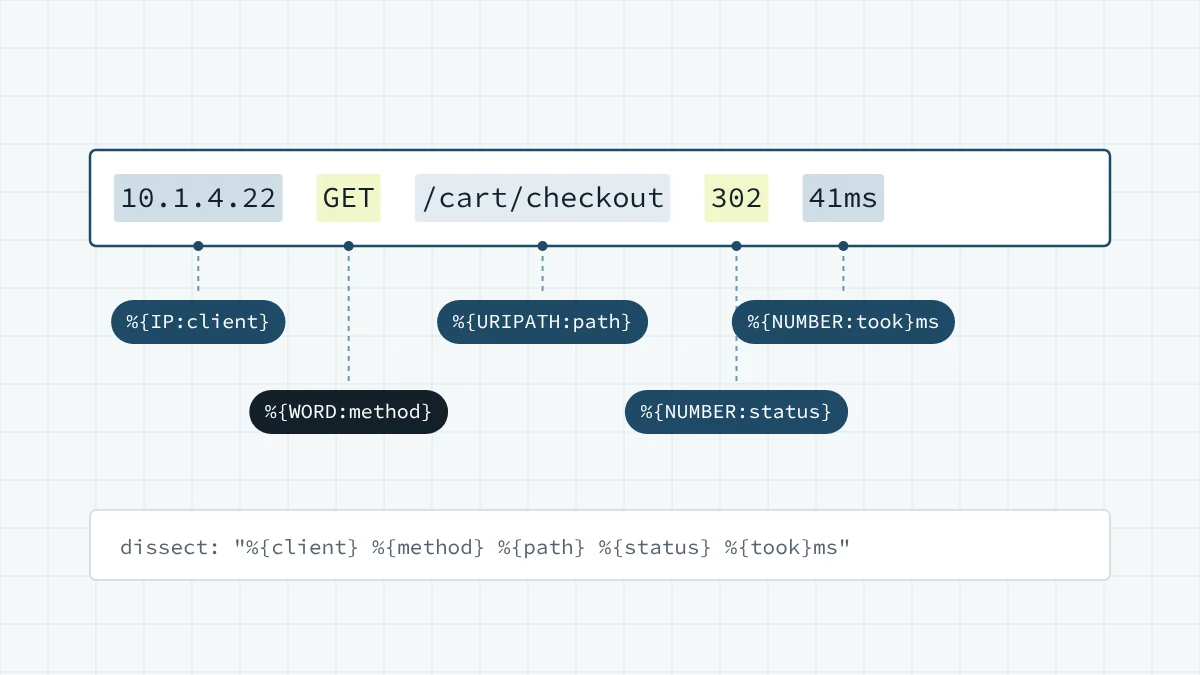
Logstash grok and dissect examples for real log lines
Worked Logstash grok and dissect examples: Apache and Nginx access logs, application logs, key=value data, custom patterns and how to fix _grokparsefailure.
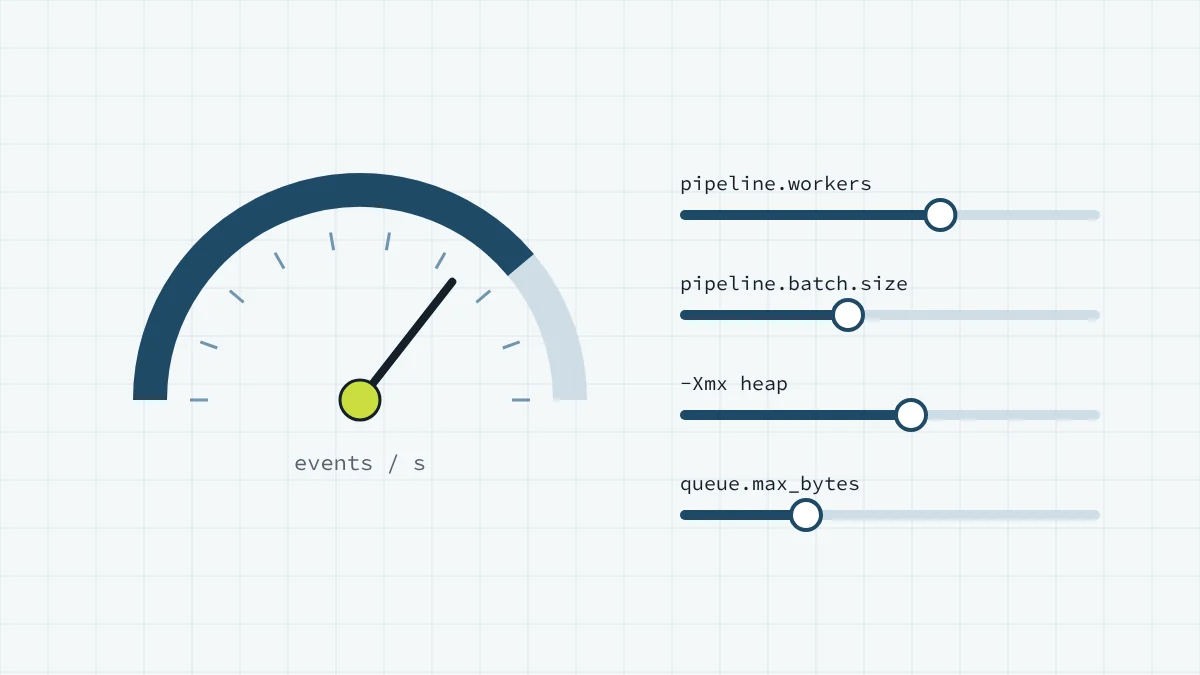
Logstash performance tuning: workers, batch size, heap and queues
Tune Logstash throughput with data: read flow metrics, then adjust pipeline workers, batch size, JVM heap, persistent queues and slow filters or outputs.
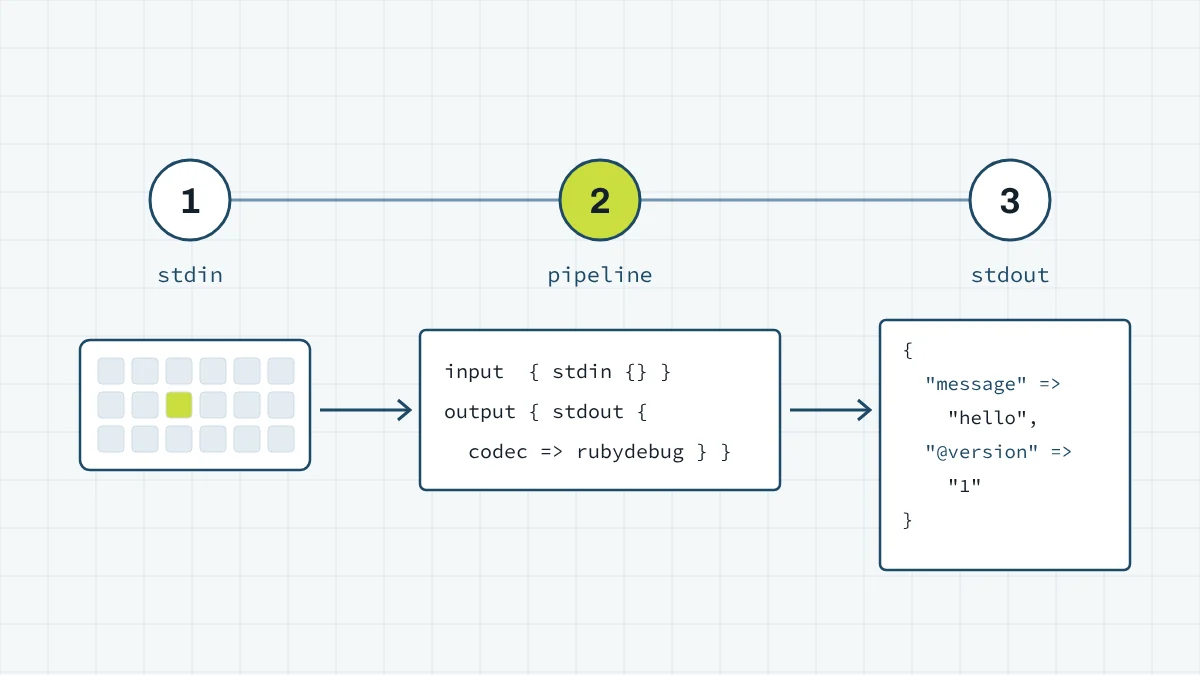
Logstash tutorial: build your first pipeline step by step
A hands-on Logstash tutorial: run a one-line pipeline, read a sample log file, parse it with grok and date, then send structured events to Elasticsearch.